SMTP Mailer
This product makes it extremely simple to send an email from a command line. You can specify the sender and multiple recipients including CC and BCC. It also supports multiple attachemnts and server authentication.
Send an email from a command line
Here is a short example of how to use the SMTP Mailer.
Send now or Edit before sending
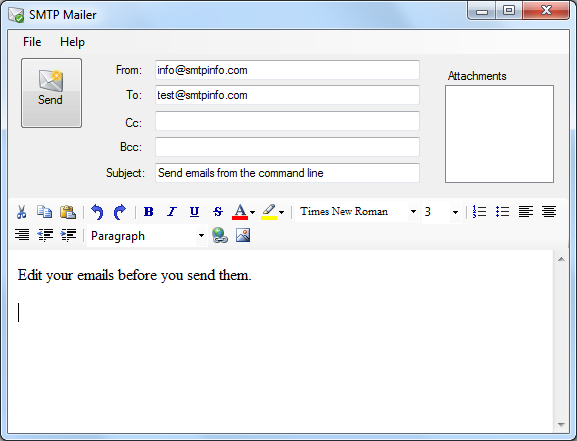
You can choose to send the email directly or you can show it to the user before sending it. This allows the user to edit the content.
If you add the GUI command line switch then the email will open in an editor before it is sent.
Features
The table below lists the features available in the free SMTP Mailer and the professional SMTP Mailer.
| Feature | Free | Pro |
|---|---|---|
| Sender | yes | yes |
| Recipients | one | multiple |
| CC Recipients | no | multiple |
| BCC Recipients | no | multiple |
| Attachments | one | multiple |
| Server Port | 25 | any |
| Authentication | no | basic, windows |
| Body text | plain, html | plain, html |
| Multiple body parts | no | yes |
| Edit email before sending | yes | yes |
Command Line Usage
SMTPMAIL from=sender_email to=recipient_email server=smtp_server
  [subject="email_subject"] [cc=cc_recipient] [bcc=bcc_recipient]
  [body="body_text"] [type=text|html] [priority=low|normal|high]
  [user=auth_user] [password=auth_password] [bodyfile=filename]
  [attachment=filename] [license=licensekey] [gui] [ssl]
| Parameter | Description |
|---|---|
| from | Email address of sender. |
| to, cc, bcc | Email address of recipient. Multiple recipients of each type can be added by repeating the parameter tag. |
| subject | Subject of the email. |
| body | Body text of email. |
| bodyfile | File name of a file containing the body text. This parameter can be specified multiple times. |
| attachment | File name of attachment. This parameter can be specified multiple times. Wildcards are supported since version 5. |
| server | Name or IP address of the SMTP server. |
| port | Port number of the SMTP server. The default value is 25. |
| user | User name used for authentication. |
| password | Password used for authentication. |
| ssl | Instructs the program to send the email using SSL. Using the ssl switch can often solve problems where the server expects a STARTTLS command. |
| license | License key that unlocks the professional features. |
Values of subject, body, user and password must be URL encoded when using special characters.
Try the Pro features
We invite you to try the features of the Pro version for 30 days. The following license code is valid for the next 30 days.
Specify License
This example shows how to specify the license string on the command line. A valid license will unlock the extra features of the professional version. In the example below we use the license string 202408275480ba9caa87ca82cc2196485c3f6575.
More Examples
Multiple Recipients
Add two recipients.
Attachments
Send an email with two attachments from the command line.
Server Authentication
In this example the server requires a login and password.
Google GMail SMTP Server
If you have a Google GMail account then you also have access to Google's SMTP server. Using this server requires you to use the ssl parameter.